SALTA, SITREP and MEDEVAC reports in TacSync

Written by TacSync Team
Product news from the team that builds TacSync.

On this page
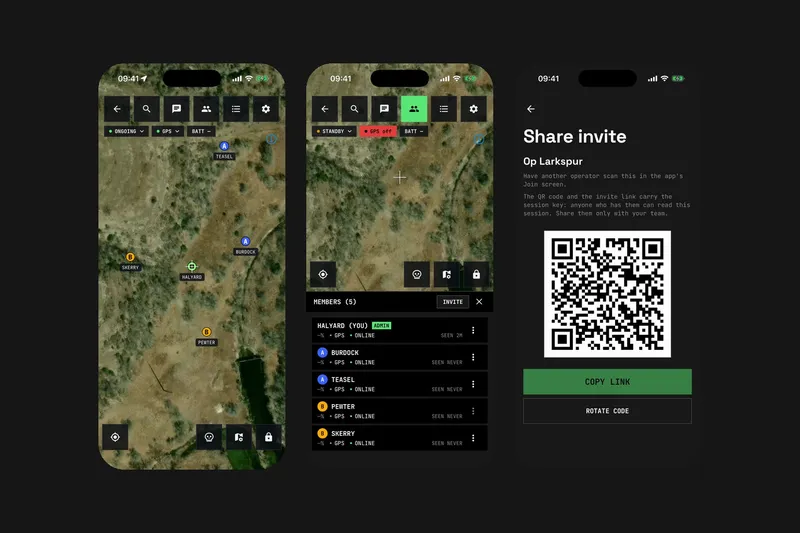
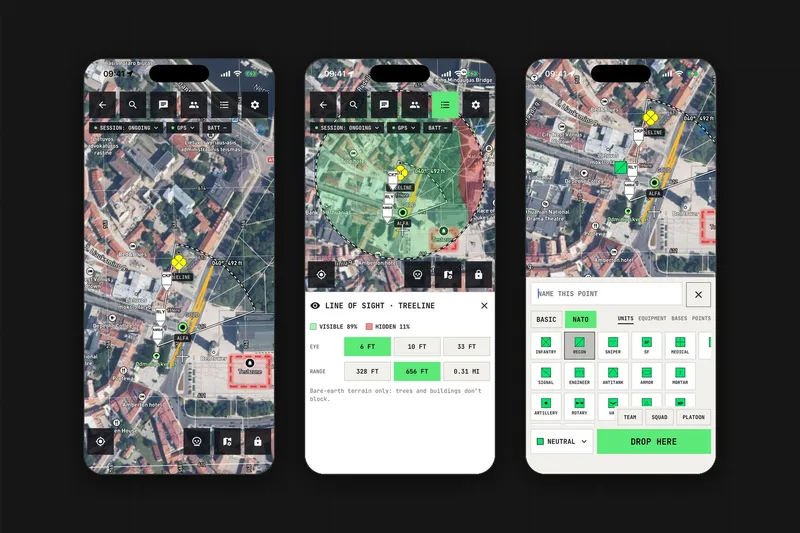
TacSync now has three standard field reports built into the session chat: the MEDEVAC 9-line, the SALTA contact report and the patrol SITREP. You fill in a short form, and the report lands in chat as a clear card that everyone in the session sees at once.
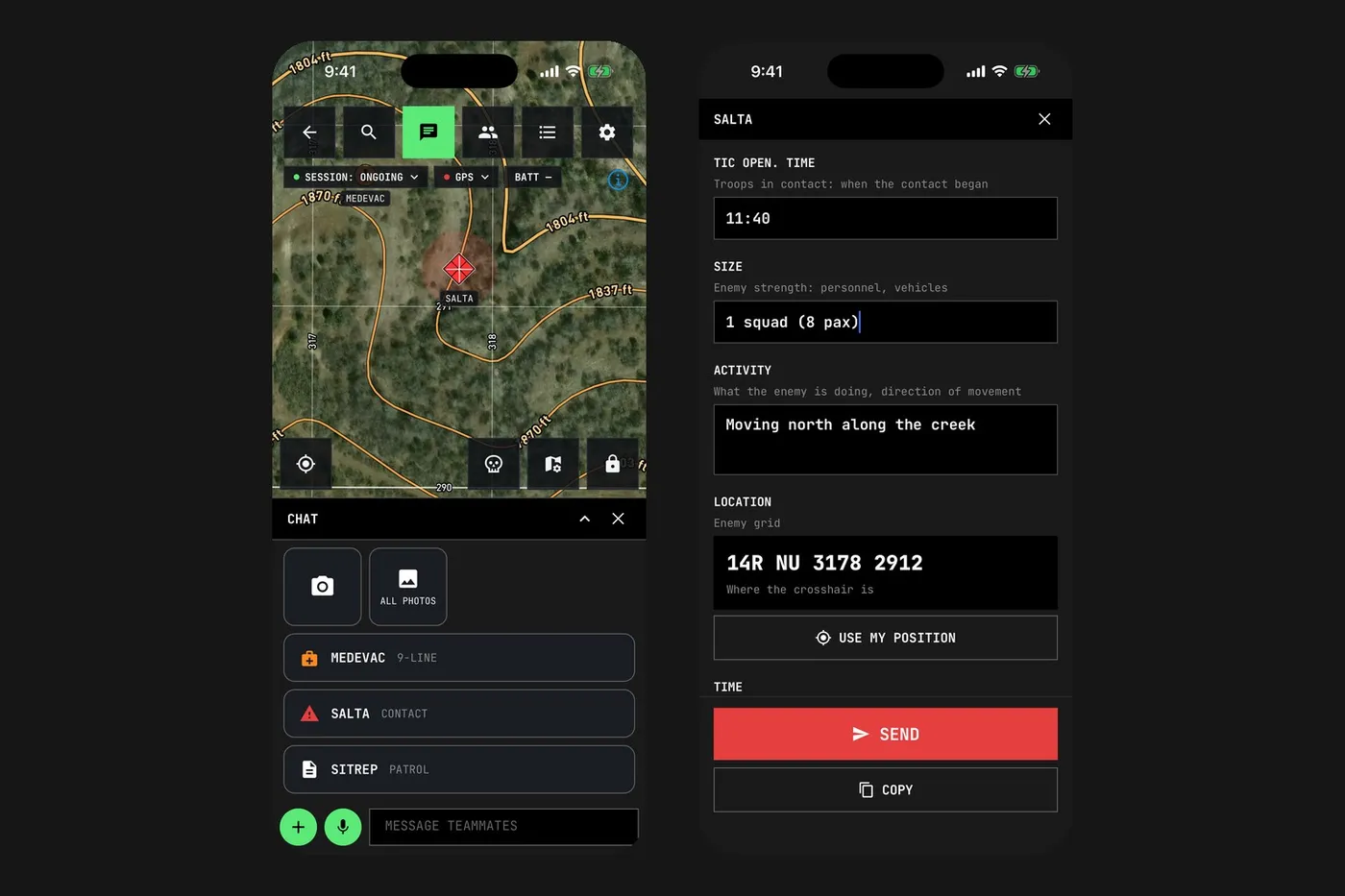
Where to find them
- Chat. In chat, tap + and pick MEDEVAC, SALTA or SITREP.
- Map. Long-press a spot on the map. MEDEVAC is in the menu already; add SALTA and SITREP from Customize.
- Shortcut button. Set the corner shortcut button to MEDEVAC, SALTA or SITREP in Menu, Shortcut button, for one-tap reports.
- Web. The same reports are in the web app at app.tacsync.com.
The location fills itself in
A report opened from chat uses the point under the map crosshair. One opened from a long-press uses the spot you pressed. Use my position swaps in your own location.
Hold the phone sideways and the form opens next to the map with a pin in the middle. Pan the map under the pin to move the location, the way you place a marker.
Times, the date-time group and your callsign come filled in, and the form opens on the first line you need to type.
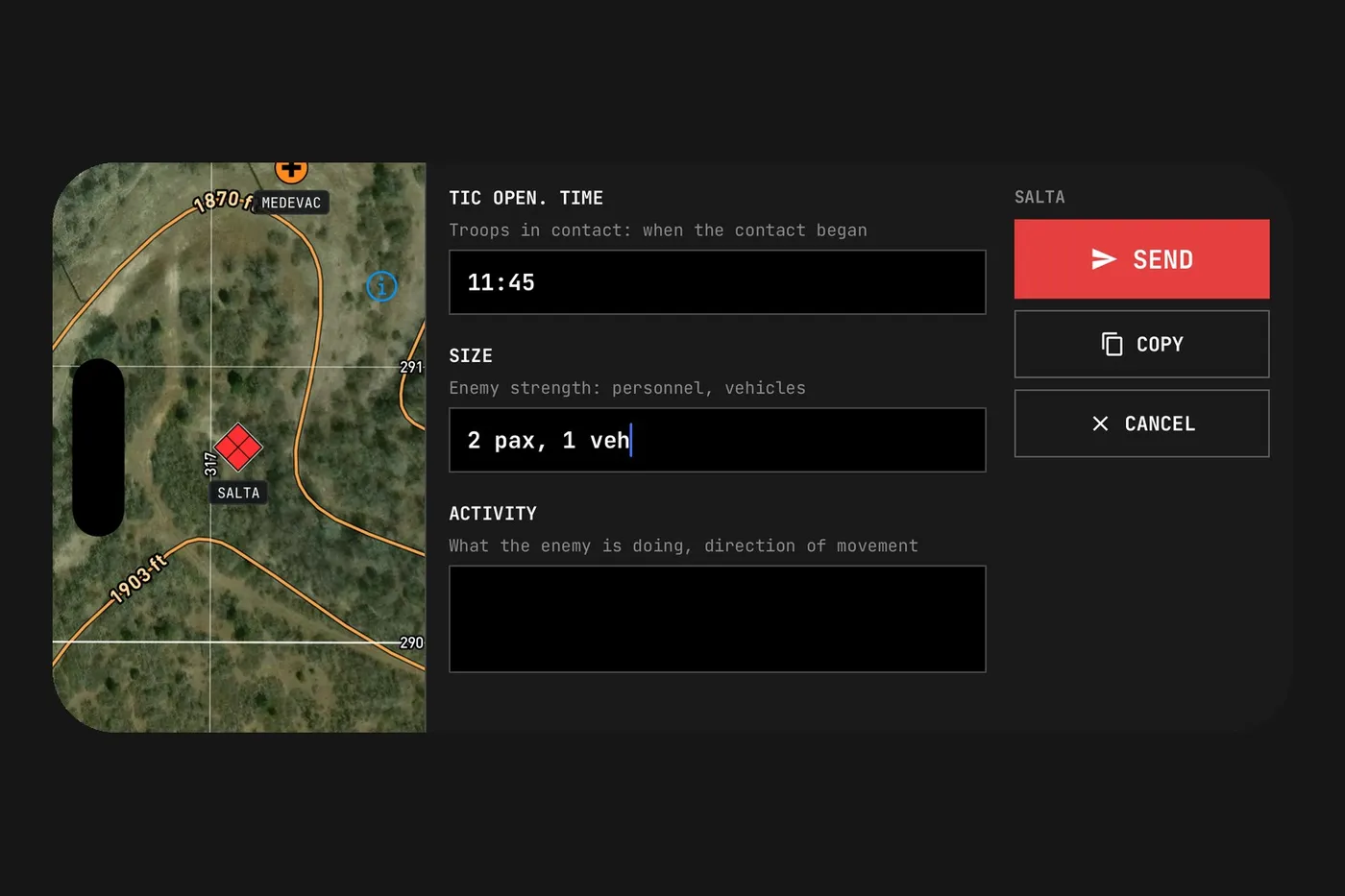
SALTA contact report
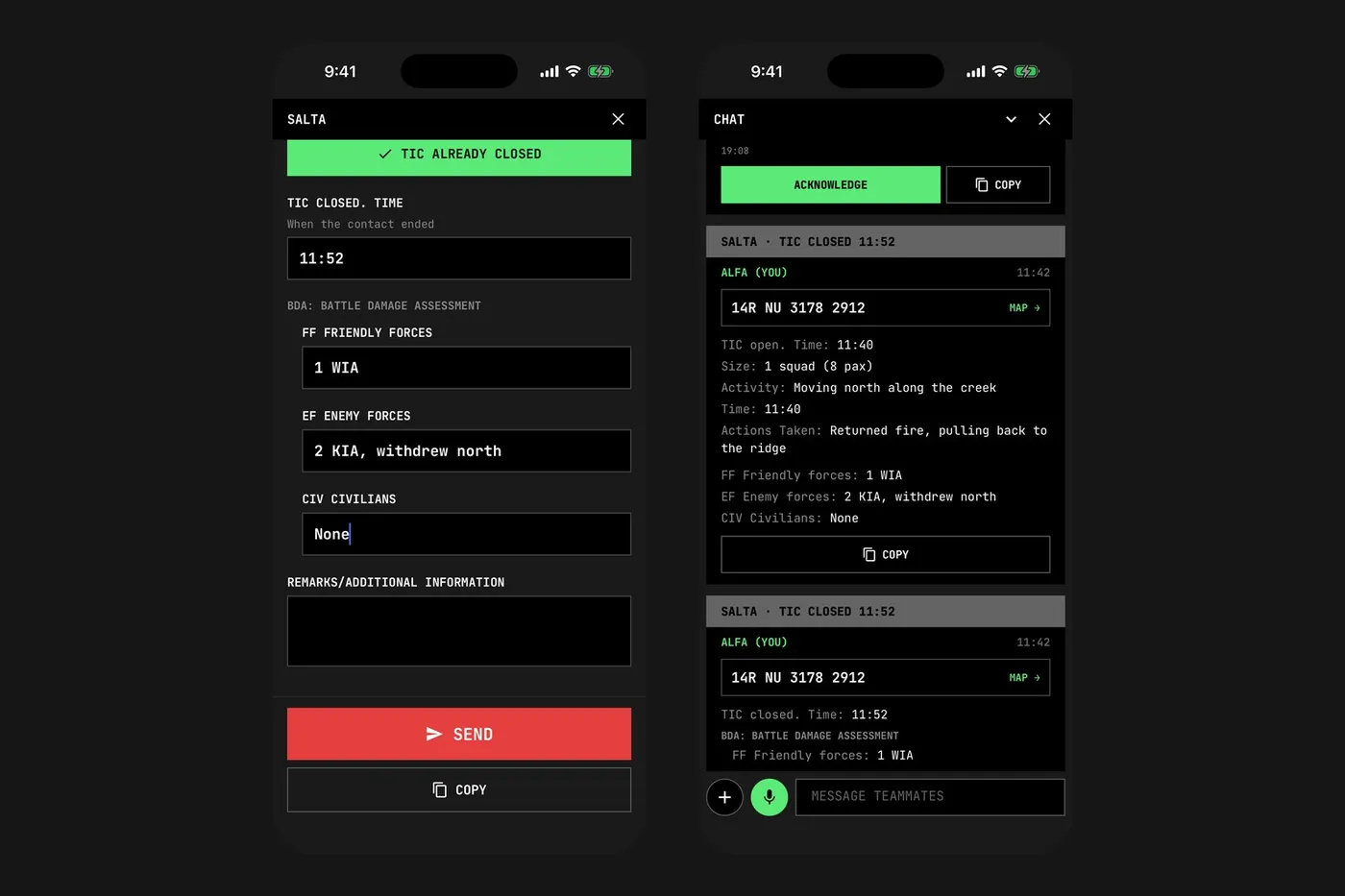
SALTA covers Size, Activity, Location, Time and Actions taken. In an ongoing session, sending one also drops an enemy marker labelled SALTA at the location, so the contact is on everyone's map.
The card shows TIC open in red until someone reports the contact closed. Tap TIC closed on the card to add the end time, a battle damage assessment for friendly forces, enemy forces and civilians, and remarks.
If the contact is already over when you report it, turn on TIC already closed at the bottom of the form and send both parts at once.
Patrol SITREP
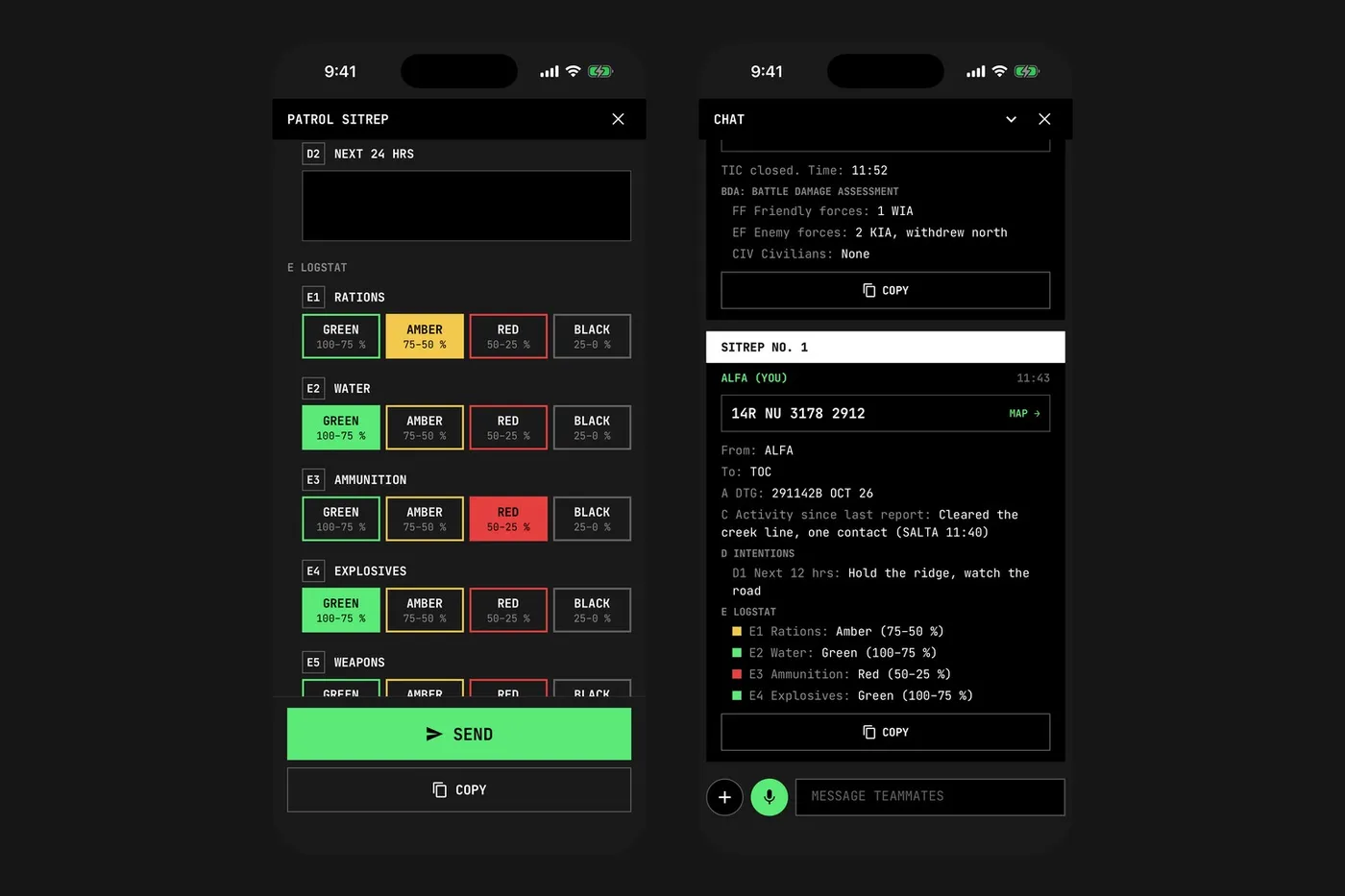
The SITREP follows the usual lettered lines: from and to, the date-time group (A), your location (B), activity since the last report (C), intentions for the next 12 and 24 hours (D), logistics status (E), equipment damage (F) and remarks (G).
Logistics status uses Green, Amber, Red and Black for rations, water, ammunition, explosives and weapons, plus free text for personnel and anything else. The card shows each level as a colour swatch.
The report number counts up by itself in each session, and the To line remembers who you sent the last one to.
MEDEVAC 9-line
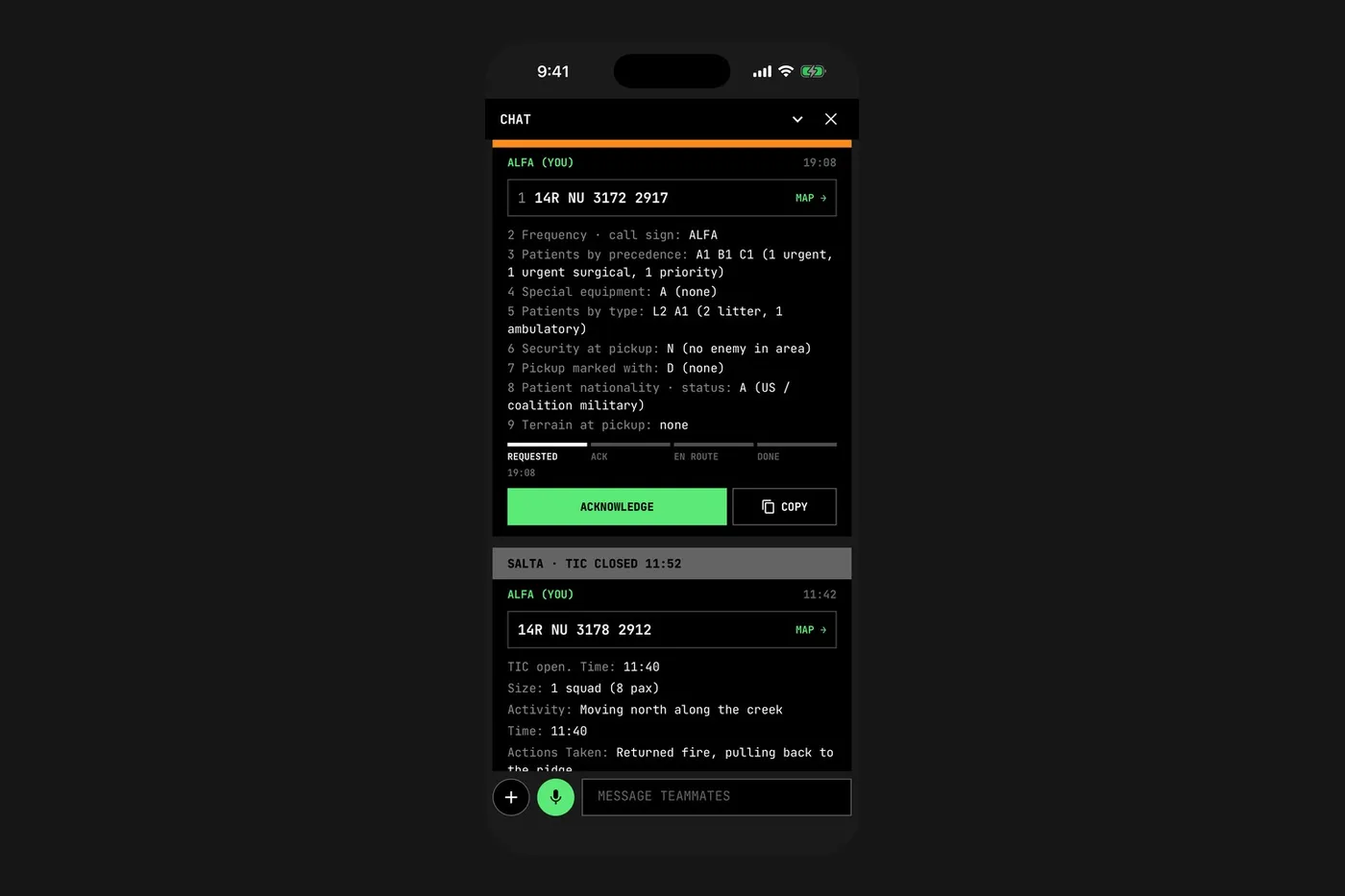
The MEDEVAC request puts an orange marker on the pickup site, and its card walks the request through Requested, Ack, En route and Done. Every line on the card now shows its name next to the answer, so no one has to remember what line 6 is.
Good to know
- Map link. Tap the grid on a card to jump to it on the map.
- Copy. Copy puts the whole report on the clipboard as readable text, ready to read over the radio or paste elsewhere.
- Edit. Long-press a card and choose Edit to fix a report. If you change the location, its marker moves too.
- Offline. With no signal, reports wait on your phone and send when you are back in coverage.
- Two languages. In English the forms use NATO report terms. In Lithuanian they follow the wording of Lithuanian unit forms. A report sent in one language reads correctly in the other.
The reports are already in TacSync on iPhone, Android and the web. If you don't see them yet, close the app fully and open it again.
TacSync
Put your whole team on one live map.
Positions, markers, routes and chat in a private session. Join with a QR code, no server to set up.